
15 Best Drawing Tablets (Standalone) for Artists

Maria is brilliant when it comes to creating beautiful and functional spaces. Maria has an exceptional ability to understand your needs and desires, translating them into tailored solutions that reflect your personality and lifestyle. Whether you’re seeking advice on home decor, looking to upgrade your interior, or seeking inspiration to enhance your quality of life through design, Maria can help you achieve your goals. With Maria by your side, your vision for the perfect home is within reach.
In 2025, you’ll find a wealth of standalone drawing tablets ideal for artists. Look for 2K or 4K displays with wide color gamuts, high refresh rates, and anti-glare coatings. Seek out pressure-sensitive styluses with tilt recognition for expressive strokes. Android or Windows-based tablets offer portability, performance, and access to creative apps. Consider storage, battery life, and charging capabilities to support your digital art workflow. Explore the top options to find the perfect drawing tablet that suits your unique needs and creative vision.
Key Takeaways
- Standalone drawing tablets with 2K or 4K displays, wide color gamut, and high refresh rates (90Hz or 120Hz) for exceptional detail, clarity, and smooth drawing experience.
- Stylus pressure sensitivity ranging from 1024 to 16,384 levels, with tilt recognition, for enhanced control and nuanced artistic expression.
- Android-based or Windows-based tablets with powerful processors, ample RAM, and generous built-in storage (64GB to 256GB) for seamless digital art creation.
- Expandable storage through microSD cards (up to 1TB) to accommodate growing creative portfolios and access to resources.
- Long-lasting battery life (up to 13 hours) and fast charging capabilities for untethered, uninterrupted creative sessions.
HUION Kamvas Slate 11 Standalone Drawing Tablet

If you’re an artist on the go, the HUION Kamvas Slate 11 is a standout choice. Its portable, 10.95-inch design and sleek aluminum body make it comfortable to grip. The tablet’s 90Hz refresh rate and FHD+ resolution deliver smooth, high-quality visuals, while the nano-etched screen and anti-fingerprint coating bolster the paper-like drawing experience. Powered by a MediaTek Helio G99 SoC and 8GB RAM, the Kamvas Slate 11 offers ample performance for layered artworks. With 128GB of built-in storage and a microSD slot, you’ll have plenty of space for your creations. The included H-Pencil’s 4096 pressure levels and 60° tilt recognition fortify natural, responsive drawing.
Best For: Artists and designers seeking a portable, high-performance drawing tablet for on-the-go use, note-taking, and idea recording.
Pros:
- Sleek, aluminum body and compact 10.95-inch design for comfortable, portable use
- Smooth 90Hz refresh rate and FHD+ resolution for high-quality visual performance
- Responsive H-Pencil with 4096 pressure levels and 60° tilt recognition for natural drawing
Cons:
- Limited built-in storage at 128GB, though expandable via microSD
- Android operating system may not be preferred by some artists compared to dedicated drawing tablets
- Battery life may be a concern for extended usage sessions

- All-in-One Drawing Tablet: This standalone tablet requires no computer connection—start drawing right out of the box. Perfect for artists on the go, its sleek aluminum back provides a comfortable feel and makes the writing tablet an ideal choice for note-taking and capturing ideas.
- 10.95-inch Full HD Graphic Tablet: The combination of a 10.95-inch screen and FHD+ (1920*1200) resolution ensures a high pixel density of 207 PPI, delivering a sharp visual experience. With a 99% sRGB color gamut, every stroke of your artwork is precisely represented.
- Smooth 90Hz Refresh Rate: The digital drawing tablet features a 90Hz refresh rate, ensuring smooth visuals with no lag. This makes images more vivid, allowing you to immerse yourself in a seamless creation experience. The digital drawing pad also enhances your viewing experience, whether you're watching films or playing games.
- Full-Laminated Anti-Glare Screen: The digital art pad features a nano-etched, anti-fingerprint matte surface that significantly reduces glare and provides a natural paper-like texture for a comfortable drawing feel. The full-lamination technology minimizes parallax, enhancing stroke precision and clarity, while also helping to reduce eye strain during prolonged use.
- High-Precision H-Pencil: The drawing pen features Huion's years of experience in line-drawing algorithms, offering better accuracy and preventing line offset while drawing. With 4096 levels of pressure sensitivity and 60° tilt recognition, it brings you a writing experience that feels just like using a real pencil.
T8 Drawing Tablet for Beginners, Artists, and Students

The T8 Drawing Tablet is an exceptional choice for beginners, artists, and students alike. Powered by an MTK quad-core CPU, 4GB RAM, and 64GB storage, it delivers powerful performance for handling heavy graphics programs without a computer. The vivid and detailed Liquid Retina display offers a seamless and intuitive drawing experience with the latest Android 13 OS. Its 4000mAh battery provides up to 20 hours of drawing time, freeing artists from the desk for on-the-go creativity. The T8 comes with pre-installed drawing apps and tutorials, making it versatile and accessible for users of all skill levels.
Best For: The T8 Drawing Tablet is best for graphic designers, digital artists, and students looking for a powerful standalone drawing device.
Pros:
- Delivers powerful performance for handling heavy graphics programs without a computer
- Offers a seamless and intuitive drawing experience with the latest Android 13 OS
- Provides up to 20 hours of drawing time with its 4000mAh battery
Cons:
- Limited storage capacity of 64GB, though expandable to 256GB
- May not be suitable for users who prefer a larger display size
- Potential compatibility issues with certain drawing apps not optimized for Android

- Unleash your creativity with our Standalone Drawing Tablet, the ultimate tool for artists on the move. Crafted for graphic designers and digital artists, this tablet delivers the power to handle heavy graphics programs without the need for a computer.
- Meet Android 13, Latest OS: Embrace the latest Android 13, offering a seamless and intuitive drawing experience. Vivid Display, Liquid Retina: With a 1200x800 resolution, your art comes to life in rich colors and with the detail you demand.
- Your portable canvas for digital creativity, crafted for the modern artist who demands power and precision. Designed for Freedom, Unchained by Wires: Liberate your art with a standalone tablet that frees you from the desk, perfect for graphic designers and digital artists on the move.
- MTK Quad-Core Powerhouse: Equipped with a robust MTK quad-core CPU, 4GB RAM, and 64GB storage, expandable to 256GB, this tablet handles your most demanding design applications with ease. Enduring Creativity, Long-Lasting Battery: A 4000mAh battery ensures up to 20 hours of drawing, keeping your creative flow uninterrupted.
- Android Integration: Enjoy the best of both worlds with a tablet that offers powerful drawing functions and the flexibility of Android OS. Install and use your favorite apps like SketchBook, ArtFlow, and ibis Paint X with ease.
PicassoTab X 10 Inch Drawing Tablet

As a beginner digital graphic artist, the PicassoTab X 10 Inch Drawing Tablet is an excellent choice. It comes with pre-installed drawing apps and tutorials, ensuring you can start creating right away. The MediaTek quad-core processor and 64GB of storage allow for seamless multitasking and ample space for free apps. The IPS HD screen delivers crystal-clear visuals, while the included stylus pen provides a natural drawing experience. The tablet’s portability and standalone functionality make it a versatile tool, and the 4 bonus items – case, glove, power adaptor, and screen protector – add exceptional value. With a 1-year warranty and reliable customer support, the PicassoTab X is a smart investment for aspiring digital artists.
Best For: Beginner digital graphic artists looking for a portable, standalone drawing tablet with pre-installed apps, tutorials, and bonus accessories.
Pros:
- Pre-installed drawing apps and tutorials for easy start
- Stylus pen, case, glove, power adaptor, and screen protector included
- Powerful MediaTek quad-core processor and ample storage for multitasking
Cons:
- Relatively heavy at 3.19 pounds
- Limited connectivity options compared to more advanced drawing tablets
- 1-year warranty may be shorter than some competitors
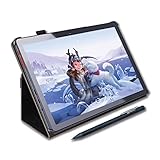
- DRAW or TAKE NOTES: The most affordable Art tablet that comes with a pen and a pre-installed Drawing and Animation apps for those who want to draw, make animations or take notes in the classroom.
- 4 FREE BONUS ITEMS inside the box: a high-quality tablet case, Drawing Glove, universal power adaptor and pre-installed screen protector; a total value of $50 inside the box along with 10-inch tablet and an active Pen.
- CLEAR SCREEN, LARGE DISK and a SUPERIOR CPU: The High power MediaTek Quad-core processor boosts the multitasking abilities of the tablet. The IPS HD screen resolution makes crystal clear pictures and the 64GB disk allows you to download thousands of free apps from the play store.
- CONNECTIVITY: Connect your tablet to your home WIFI network and you can take this tablet wherever you are; your entertainment always goes with you. Link your tablet to the TV via the micro HDMI port and view your movies on the large screen. One of the best tablets for watching movies on Netflix, playing games and browsing the internet. GPS and the USB type-c port provides all the connectivity options you want.
- CERTIFIED QUALITY and WORRYD-FREE PURCHASE: Certification by GMS, FCC and CE standards provides you the peace of mind for safety as well as quality. Comes with 1-year warranty, along with best customer service our support staff can provide. You can contact us for any questions that you may have.
RubensTab T11 Pro Standalone Drawing Tablet

Powered by an Octa-Core CPU, the RubensTab T11 Pro standalone drawing tablet is a fully self-contained digital art canvas that lets you create without the need for a computer. Its 10.1-inch FHD display delivers vibrant colors and accurate representation, while the high-sensitivity pressure-sensitive pen and multi-touch functionality provide a natural drawing experience. With a 5800mAh battery and up to 5 hours of continuous use, you can work untethered. The pre-installed drawing apps and tutorials make it easy to get started, and the adjustable stand case adds versatility to your workflow.
Best For: The RubensTab T11 Pro standalone drawing tablet is best for beginners and experienced digital artists who want a fully self-contained digital art canvas without the need for a computer.
Pros:
- Fully self-contained with no computer required
- High-sensitivity pressure-sensitive pen and multi-touch functionality for natural drawing experience
- Up to 5 hours of continuous use with 5800mAh battery
Cons:
- Some users report a slight lag between drawing and line appearance
- Heavier than some traditional drawing tablets at 3.14 pounds
- May not have as many advanced features as more expensive professional-grade tablets
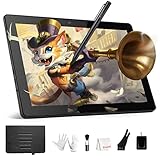
- Standalone Drawing Tablet,No need for a computer! Frunsi T11 is designed to be completely independent, allowing you to create, sketch, and design anywhere, anytime. Equipped with a stunning 10.1-inch Full HD IPS screen (1920×1200P resolution), it delivers vibrant colors, sharp details, and wide viewing angles for an immersive digital art experience. Ideal for artists, students, and professionals who need a portable solution for both creative projects and everyday tasks like meeting notes or classroom work.
- Drawing Tablet No Computer Needed, Fully self-contained with no external device required. Simply power it on and start creating! Built-in 5800mAh battery provides up to 5 hours of continuous use, making it perfect for long creative sessions or on-the-go use. Supports USB-C charging, ensuring quick and convenient power replenishment. You can even use a mobile power bank to extend battery life during travel.
- Digital Drawing Tablet with Screen, High-sensitivity pressure-sensitive pen (no battery required) delivers natural, fluid strokes that mimic traditional drawing tools. The responsive screen ensures precise control, whether you’re sketching, illustrating, or editing photos. Multi-touch functionality allows for intuitive zooming, panning, and scrolling, enhancing your creative workflow.
- Tablet with Pen, Pre-installed with a suite of professional-grade drawing apps, making it easy for beginners to learn and for experienced artists to dive right in. The pen is designed for comfort and precision, with adjustable pressure sensitivity to suit your artistic style. Perfect for digital artists, graphic designers, and anyone looking to transition from traditional to digital art.
- Versatile Art Tablet, Not just for drawing! Use it for note-taking during company meetings, classroom lectures, or brainstorming sessions. The included adjustable stand case adds convenience for both desktop use and travel, ensuring your tablet stays protected and accessible. Compatible with Wi-Fi networks, allowing you to access online resources, tutorials, and cloud storage directly from the device.
XPPen Magic Drawing Pad 12.2 Inch Standalone Drawing Tablet

For artists seeking a versatile and portable drawing companion, the XPPen Magic Drawing Pad 12.2 Inch Standalone Drawing Tablet stands out. This 12.2-inch tablet boasts a 2160*1440 screen resolution, 115% sRGB color gamut, and a paper-like drawing experience. Powered by Android 14, it offers 8 GB RAM and 256 GB storage, ensuring smooth multitasking between digital art, e-books, and more. The included X3 Pro stylus delivers precise control with 16K pressure sensitivity and 60° tilt recognition. Weighing just 599 g, the tablet’s slim 6.9 mm profile makes it easily portable, perfect for on-the-go creativity. With a 13-hour battery life and built-in cameras, the XPPen Magic Drawing Pad is a versatile companion for artists of all levels.
Best For: Artists seeking a versatile and portable digital drawing companion with a paper-like experience.
Pros:
- 12.2-inch 2160*1440 screen with 115% sRGB color gamut for vibrant and accurate colors
- Pressure-sensitive X3 Pro stylus with 16K pressure levels and 60° tilt recognition for precise control
- Lightweight and slim 6.9 mm profile, making it easily portable
Cons:
- Limited to Android 14 operating system, may not be compatible with all drawing software
- Relatively high price point compared to some other drawing tablets
- Potential battery life concerns for extended use away from a power source

- 16K Pressure Sensitive Stylus: XPPen magic drawing pad introducing X3 Pro slim stylus is a breakthrough innovation boasting industry-first 16K pressure levels, 100%* higher than that of its peers. Free of charging and pairing, 60° tilt recognition, pick up to draw. It delivers much more precise and smoother lines than ever before, excelling at hyper-nuanced creation
- Natural pen-on-screen experience: The 12.2-inch standalone drawing tablet is crafted with AG-etched technology, 2160*1440 screen resolution, a 3:2 aspect ratio, pairs with a wide color gamut of 115% sRGB and an incredible 16.77 million colors, offers you a paper-like drawing experience in full color
- Easy on eyes: Thoughtfully designed with eye comfort in mind, the screen is TÜV Rheinland certified, and enhanced with ten steps of soft light treatment, so you can create without worrying about straining your eyes even when racing against deadlines
- Android Ecosystem: The standalone drawing tablet operates on the Android 14 system, allowing you to download various apps from Google Play. A 3-month membership of both Clip Studio Paint & ibis Paint X upon activating the account, along with the purchase of the Magic Drawing Pad
- Excellent Performance: The no computer needed drawing tablet adopts 8 GB running memory, 256 GB storage memory (expandable up to 1TB with a micro SD card), thirteen MP rear camera & eight MP front camera allowing you to capture any worthy memory moments
PicassoTab A10 Drawing Tablet

The PicassoTab A10 Drawing Tablet is a standalone, portable solution designed to cater to the needs of beginner digital graphic artists. With its 10-inch IPS HD display, you can enjoy a smooth and responsive drawing experience. The device’s MediaTek octa-core processor and 128GB of storage guarantee seamless multitasking and entertainment on the go. The included active pen, drawing glove, and tablet case make it a complete package for your creative endeavors. Whether you’re sketching, animating, or taking notes, the PicassoTab A10 is the ideal companion for artists, animators, and students. Its built-in Wi-Fi and USB-C port provide the connectivity you need for streaming and web browsing.
Best For: The PicassoTab A10 Drawing Tablet is best for beginner digital graphic artists, animators, and students looking for a portable and standalone solution for sketching, animation, and note-taking.
Pros:
- Standalone and portable design
- Includes active pen, drawing glove, and tablet case
- Seamless connectivity for streaming and web browsing
Cons:
- Limited to 10-inch screen size
- May not have advanced features for professional artists
- Potential compatibility issues with some software or applications

- 🎨 COMPACT STANDALONE DRAWING TABLET - READY TO USE ANYWHERE: The A10 is lightweight and portable, perfect for beginners, kids, and students who want to draw or take notes without needing a computer.
- 🖌️ LIFETIME PRO ART APP INCLUDED - NO SUBSCRIPTIONS: Create with Concepts (Lifetime PRO Upgrade Included) - a premium drawing app you own forever. You also get Infinite Painter and FlipaClip pre‑installed so you can sketch, paint, and animate right out of the box.
- 📚 LIFETIME VIP TUTORIALS - PERFECT FOR BEGINNERS: Artixo Lifetime VIP Upgrade gives you step‑by‑step lessons, guided practice, and beginner‑friendly exercises. Plus, the Xplore app provides drawing guides and instant help whenever you need it.
- ✨ LAMINATED 10” DISPLAY + PICASSO PEN 3 FOR NATURAL DRAWING: The fully laminated IPS HD screen reduces parallax and features an anti‑glare finish for clear visibility. Paired with the Picasso Pen 3 (4096 pressure levels + palm rejection), your strokes feel smooth, accurate, and paper‑like.
- 🚀 FAST PERFORMANCE + COMPLETE ACCESSORY KIT INCLUDED: Powered by an octa‑core CPU, 6GB RAM, and 128GB storage (expandable to 1TB), the A10 handles drawing, apps, and entertainment with ease. Includes case, glove, screen protector, stylus, charger, and more — everything you need to start creating immediately.
RubensTab T11 Pro Standalone Drawing Tablet

The RubensTab T11 Pro standalone drawing tablet stands out as an excellent choice for artists seeking a fully self-contained, portable solution. With its 10.1-inch FHD display, powerful Octa-Core CPU, and pre-installed drawing apps, this tablet allows you to create without the need for a computer. Its 5800mAh battery provides up to 5 hours of continuous use, and the high-sensitivity pressure-sensitive pen, multi-touch functionality, and adjustable stand case make it a versatile tool. Certified to meet international safety and quality standards, the RubensTab T11 Pro delivers a seamless drawing experience, from importing images to modifying and deleting mistakes with its layer functionality.
Best For: Digital artists, students, and professionals seeking a fully self-contained, portable drawing solution.
Pros:
- Fully self-contained with no need for a computer
- Long-lasting 5800mAh battery for up to 5 hours of continuous use
- Versatile with pressure-sensitive pen, multi-touch functionality, and adjustable stand case
Cons:
- Some customers report a slight lag between drawing and line appearance
- Relatively heavy at 3.14 pounds
- May not be suitable for those seeking advanced or professional-level drawing capabilities
- Standalone Drawing Tablet,No need for a computer! Frunsi T11 is designed to be completely independent, allowing you to create, sketch, and design anywhere, anytime. Equipped with a stunning 10.1-inch Full HD IPS screen (1920×1200P resolution), it delivers vibrant colors, sharp details, and wide viewing angles for an immersive digital art experience. Ideal for artists, students, and professionals who need a portable solution for both creative projects and everyday tasks like meeting notes or classroom work.
- Drawing Tablet No Computer Needed, Fully self-contained with no external device required. Simply power it on and start creating! Built-in 5800mAh battery provides up to 5 hours of continuous use, making it perfect for long creative sessions or on-the-go use. Supports USB-C charging, ensuring quick and convenient power replenishment. You can even use a mobile power bank to extend battery life during travel.
- Digital Drawing Tablet with Screen, High-sensitivity pressure-sensitive pen (no battery required) delivers natural, fluid strokes that mimic traditional drawing tools. The responsive screen ensures precise control, whether you’re sketching, illustrating, or editing photos. Multi-touch functionality allows for intuitive zooming, panning, and scrolling, enhancing your creative workflow.
- Tablet with Pen, Pre-installed with a suite of professional-grade drawing apps, making it easy for beginners to learn and for experienced artists to dive right in. The pen is designed for comfort and precision, with adjustable pressure sensitivity to suit your artistic style. Perfect for digital artists, graphic designers, and anyone looking to transition from traditional to digital art.
- Versatile Art Tablet, Not just for drawing! Use it for note-taking during company meetings, classroom lectures, or brainstorming sessions. The included adjustable stand case adds convenience for both desktop use and travel, ensuring your tablet stays protected and accessible. Compatible with Wi-Fi networks, allowing you to access online resources, tutorials, and cloud storage directly from the device.
X14 Drawing Tablet

Seeking an immersive drawing experience? Consider the X14 Drawing Tablet. This 14.1-inch powerhouse boasts a fully laminated, anti-glare screen that minimizes parallax, delivering a seamless, distraction-free canvas. Packed with 6GB of RAM and 128GB of storage, it’s built for performance, whether you’re sketching, painting, or animating. The included drawing and animation apps, like Concepts and Infinite Painter, elevate your creativity. With its standalone design, the X14frees you from the confines of a computer, letting you work anywhere. Certified by industry standards, and backed by a 1-year warranty, this tablet is a versatile companion for artists seeking a premium experience.
Best For: Artists and digital creators seeking a high-performance, standalone drawing tablet with a premium drawing experience.
Pros:
- Fully laminated, anti-glare screen for a distraction-free drawing experience
- Includes powerful drawing and animation apps like Concepts and Infinite Painter
- Standalone design offers freedom from a computer
Cons:
- Relatively heavy at 5.02 pounds
- Expensive compared to some other drawing tablets
- Limited to 128GB of storage

- 📱 LARGEST PORTABLE PREMIUM TABLET - CREATE ANYWHERE: Enjoy the freedom to draw, design, and learn on the largest portable PicassoTab ever. The X14 delivers a premium, spacious canvas while staying lightweight and travel‑friendly - no computer needed.
- 🎨 TOP DRAWING APPS INCLUDED - CONCEPTS LIFETIME PRO + INFINITE PAINTER + FLIPACLIP Start creating instantly with Concepts (Exclusive Lifetime PRO Upgrade codes included) plus Infinite Painter and FlipaClip (basic versions). Perfect for sketching, painting, and animation right out of the box.
- 📚 ARTIXO TUTORIALS - LIFETIME VIP ACCESS INCLUDED: Master digital art with Artixo’s step‑by‑step tutorials (use included codes to upgrade to VIP access). Ideal for beginners who want guided lessons in drawing, coloring, and animation.
- 📱 LAMINATED PAPER‑LIKE DISPLAY FOR NATURAL DRAWING: The fully laminated 14" display reduces parallax and glare, giving you a smooth, realistic, paper‑like drawing feel with precise stroke accuracy.
- 🚀 TOP HARDWARE + FULL ACCESSORY KIT + ENTERTAINMENT READY: Powered for performance with fast processing, generous storage, and a complete accessory bundle. Great for drawing, games, streaming, browsing, and all‑day creativity.
HUION Kamvas Slate 10 Standalone Drawing Tablet

For artists who want a versatile standalone drawing tablet, the HUION Kamvas Slate 10 is an excellent choice. This 10.1-inch digital art tablet boasts a full-laminated IPS screen with full HD resolution, delivering vibrant colors and crisp details. The included stylus offers 4096 pressure sensitivity levels and a tilt function, allowing for natural and expressive digital art. Powered by an 8-core CPU, 8GB RAM, and 128GB storage, the Kamvas Slate 10 runs Android 12 and can handle demanding creative tasks without a computer. Its 6000mAh battery and all-encompassing accessory set, including a leather case and pre-installed software, make it a versatile and self-contained digital art powerhouse.
Best For: Artists and digital creators who want a versatile standalone drawing tablet with a high-quality display, responsive stylus, and robust performance.
Pros:
- Standalone Android tablet design with no computer needed
- Vibrant 10.1-inch full-laminated IPS display with full HD resolution
- Stylus with 4096 pressure sensitivity levels and tilt function for natural digital art
Cons:
- Relatively high price point compared to entry-level drawing tablets
- Somewhat heavy and bulky for long sessions
- Limited expandability options beyond the 128GB internal storage

- Digital Drawing Tablet No Computer Needed: Introducing the HUION standalone art tablet that is perfect for artists on the go, offering unbeatable affordability and ease of use with its plug-and-play functionality.
- 10.1-inch Full HD IPS Graphic Tablet: The HUION Kamvas Slate 10 android tablet boasts a stunning IPS 1920 x 1200 Full HD screen with over 16 million colors, providing the ultimate canvas for creating your masterpiece.
- Animation Tablet with Rechargeable Pen: The computer graphic tablet is equipped with a rechargeable pen with 4096-level pressure sensitivity and tilt function, making strokes smooth and sensitive. Perfect for artists and designers who require high-performance tools. The pen also has a magnetic storage function to prevent loss.
- Powerful Performance & Storage: An 8-core CPU, 8GB of running memory, and 128GB of storage memory(expandable up to 512GB), With its exceptional processor, the computer tablet allows you to multitask without any lag. The 5 million front cameras and 13 million back with flash cameras capture every moment. You can also share your artwork with social media or your friends and family via built-in stable dual-band WiFi.
- Long Battery Life: The drawing pad for computer with a 6000mAh large-capacity battery ensures you stay connected all day long, even when you're on the go, making it perfect for artists and designers who need to maintain creativity for a long time.
X11 Drawing Tablet (PicassoTab)

Designed for beginner digital graphic artists, the X11 Drawing Tablet, or PicassoTab, provides a standalone, portable solution with a range of pre-installed drawing and animation apps. With its 11-inch Full HD screen, smooth performance from the octa-core CPU and 6GB of RAM, and a stylus pen, the PicassoTab offers a paper-like feel thanks to the anti-glare feature. Customers praise its value, responsiveness, and portability, though some report minor issues with the stylus and screen protector. The manufacturer provides dedicated customer support and a warranty, addressing problems promptly. At a rank of #75 in Computer Graphics Tablets, the PicassoTab is a compelling option for beginner digital artists.
Best For: Beginner digital graphic artists seeking a portable, standalone drawing tablet with pre-installed apps and tutorials.
Pros:
- Portable and lightweight design
- Smooth performance from octa-core CPU and 6GB RAM
- Range of pre-installed drawing and animation apps
Cons:
- Some reported issues with stylus and screen protector
- Potential for ghost touching
- Limited to 11-inch screen size

- 🌟 PORTABLE PREMIUM TABLET - CREATE ANYWHERE: Take your creativity on the go with a lightweight, powerful 11" standalone drawing tablet. No computer needed - perfect for artists who want mobility and a premium drawing experience.
- 🎨 TOP DRAWING APPS INCLUDED: Start creating instantly with Concepts (exclusive Lifetime PRO Upgrade Included) plus Infinite Painter and FlipaClip (basic versions). Everything beginners need to sketch, paint, and animate right away.
- 📚 ARTIXO TUTORIALS - LIFETIME VIP ACCESS INCLUDED: Learn digital art step‑by‑step with Artixo. Perfect for beginners who want guided lessons in drawing, coloring, and animation.
- 📱LAMINATED PAPER‑LIKE DISPLAY FOR NATURAL DRAWING: The fully laminated 11" 2K screen reduces parallax and glare, delivering a smooth, realistic, paper‑like drawing feel with precise stroke accuracy.
- 🚀 TOP HARDWARE + FULL ACCESSORY KIT + ENTERTAINMENT READY: Powered by an Octa‑Core CPU, 6GB RAM, and 128GB storage. Includes stylus, glove, case, screen protector, and chargers. Also great for GAMES, STREAMING, AND APPS.
Frunsi-T8 Standalone Drawing Tablet with Screen

The Frunsi-T8 Standalone Drawing Tablet with Screen is an excellent choice for beginners, digital artists, and designers who seek a powerful, yet portable, creative tool. Boasting an 8-inch Liquid Retina Display with 1200×800 resolution, this tablet delivers precise strokes and vivid color accuracy. Powered by an MTK Octa core CPU and 4GB of RAM, it can handle complex layering and detailed work without lag. The included pressure-sensitive pen provides a natural drawing experience, while the Android 13 operating system and pre-installed drawing apps make it easy to start creating. With up to 5 hours of battery life and 64GB of storage, the Frunsi-T8 is a versatile companion for your artistic endeavors.
Best For: The Frunsi-T8 Standalone Drawing Tablet with Screen is best for beginners, digital artists, and designers who seek a powerful, yet portable, creative tool.
Pros:
- High-resolution 8-inch Liquid Retina Display for precise strokes
- Pressure-sensitive pen for natural drawing experience
- Android 13 operating system with pre-installed drawing apps and tutorials
Cons:
- Limited storage capacity (64GB, though supports up to 256GB TF card)
- Battery life may not be sufficient for extended drawing sessions (up to 5 hours)
- No wireless connectivity options (only wired charging)

- Standalone Drawing and Animation Tablet: Experience the freedom to create digital art on the go, without the need for a computer. This drawing tablet no computer needed is a perfect tool for graphic designer or digital artist. It provides enough power to run heavy graphics programs.
- Android 13 Standalone Drawing Tablet with Screen No Computer Needed: installed with the latest Android 13.Standalone drawing tablet with 8-inch Liquid Retina Display, boasting a resolution of 1200x800, truly brings my artwork to life with vibrant colors and crisp details. Powered by MTK Octa core cpu chips, comes with 4GB RAM and 64GB Storage, supports TF card reading up to 256GB. You could run multiple design applications simultaneously without experiencing any significant slowdowns.
- For digital art creators, this T8 drawing screen offers a natural drawing experience with its pressure-sensitive pen, mimicking the feel of drawing on paper. The high-resolution display ensures that every stroke is precise, and the powerful hardware allows for complex layering and detailed work without lag. The Android integration means you have access to a vast ecosystem of creative apps, keeping your artistic toolbox diverse and up-to-date. Whether you're sketching, painting, or illustrating, this tablet is your trusted companion in the digital art realm.
- Battery life is also impressive,Standalone drawing tablet with screen no computer needed equipped with 4000mA battery lasting up to 5 hours depending on usage. You can enjoy uninterrupted drawing sessions, whether you're an aspiring artist or a professional
- Worry-Free Purchasing and Warranty and More Bonus: Digital Drawing Tablet No Computer Needed Certificated by GMS, FCC ,UKCA and CE standards provide you with the safety mind for quality. 1-year warranty for the best customer service, You can contact us for more Bonus and aftersales service
XPPen 4K UHD Artist Pro 19 Gen2 Drawing Tablet

If you’re a professional artist or aspiring creative seeking a premium drawing tablet that delivers uncompromising performance, the XPPen 4K UHD Artist Pro 19 Gen2 is an exceptional choice. This tablet boasts a stunning 4K UHD display with industry-leading color accuracy, covering 99.8% sRGB, 96% Adobe RGB, and 98% Display P3 gamuts. The full-laminated screen and AG etched glass provide a seamless, paper-like drawing experience, while the TÜV SÜD certification guarantees minimal blue light exposure. Paired with the dual stylus options and 16,384 pressure levels, the XPPen Artist Pro 19 Gen2 offers a responsive and natural drawing feel. Its wireless shortcut keyboard and versatile connectivity options further enhance your creative workflow.
Best For: Professional artists and aspiring creatives seeking a premium 4K drawing tablet with industry-leading color accuracy and an exceptional drawing experience.
Pros:
- 4K UHD (3840×2160) resolution on an 18.4-inch screen for stunning visual clarity
- Calman-verified color accuracy with △E < 1.5, covering 99.8% sRGB, 96% Adobe RGB, and 98% Display P3 color gamuts
- Full-laminated display, AG etched glass, and TÜV SÜD certification for a seamless, paper-like drawing experience with minimal blue light exposure
Cons:
- Higher price point compared to some entry-level drawing tablets
- Larger physical size and weight may not be as portable or suitable for some users
- Potential compatibility issues with certain software or hardware setups

- 4K Ultravision Display: Experience stunning 4K UHD (3840x2160) resolution on an 18.4-inch screen. Designers can zoom in and out for editing without losing quality, ensuring that designs remain high-quality across various media, from large printed posters to HD screens. Artists can view multiple layers simultaneously, allowing for quick modifications, while illustrators can see every color detail in their work, refining characters and backgrounds for greater appeal
- Calman Verified Drawing Display: This drawing tablet is Calman-verified with a △E < 1.5 ,ensuring exceptional color accuracy. It covers multiple color gamuts, including 99.8% sRGB, 96% Adobe RGB, and 98% Display P3. 99.8% sRGB for web designers to ensure color consistency across browsers, 96% Adobe RGB for professional photographers to achieve accurate and vibrant prints during post-processing, and 98% Display P3 for film producers to enhancing color grading with richer hues and dynamic range in cinematic presentations. All while delivering 1.07 billion colors to elivering smooth gradients and more nuanced visual transitions to bring your creations to life
- One Paper Design Language: The full-laminated display eliminates visual gaps for a seamless drawing experience, closely mimicking actual paper. The AG etched glass offers excellent anti-glare properties, enhances clarity, and renders images with stunning precision. This design enables artists to sketch comfortably, whether in a café or at home. Additionally, the TÜV SÜD certified paper-like texture minimizes blue light exposure, reducing fatigue during long drawing sessions
- Dual Stylus, Double Smooth: Unleash your creativity with the X3 Pro Roller Stylus and lightweight X3 Pro Slim Stylus. The Slim Stylus features removable buttons to prevent accidental touches. With 16,384 pen pressure levels, 3g initial active force, and a 60° tilt function, enjoy a smooth drawing experience. You can turn off pen tilt in the driver settings, eliminating the need to adjust it for every brush. The pen case holds both styluses and includes 23 extra nibs—9 for the Slim Stylus, 7 standard, and 7 felt for the Roller Stylus
- ACK05 Wireless Shortcut Keyboard: Featuring a standout physical dial for comfortable rotation and precise feedback, this remote boasts ten customizable keys. Awarded the Good Design Award 2023, it supports Bluetooth 5.0, enhancing your workspace flexibility and efficiency
UGEE Pad Drawing Tablet (Android 14, 7000mAh+18W Battery, 6GB+128GB, 2K Ultra HD)

With its robust performance, long-lasting battery, and high-resolution display, the UGEE Pad Drawing Tablet is an excellent choice for artists seeking a powerful, standalone digital art companion. Powered by the Mediatek Helio G99 SoC and 6GB of RAM, this Android 14 tablet delivers smooth, lag-free performance for demanding art apps. The 7000mAh battery provides over 9 hours of continuous drawing, while 18W fast charging guarantees you’re back in action quickly. The 10.36-inch 2K display with a 100% sRGB color gamut and nano-etched matte glass delivers an immersive, glare-reduced drawing experience, complemented by the responsive 4096-pressure-level stylus.
Best For: Artists and digital creatives seeking a powerful, standalone drawing tablet with long battery life and a high-quality display.
Pros:
- Robust performance with Mediatek Helio G99 SoC and 6GB RAM
- Long-lasting 7000mAh battery with 9+ hours of continuous drawing
- Immersive 2K display with 100% sRGB color gamut and anti-glare matte glass
Cons:
- Relatively large and heavy compared to some portable drawing tablets
- May not have as wide app compatibility as iPad or Windows tablets
- No stylus pressure sensitivity adjustment or customization options
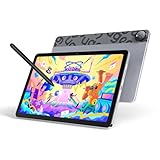
- Android 14 Draw Anywhere, No computer Needed:This standalone Android drawing tablet runs the latest Android 14, supporting new 2024+ apps like Krita 6.0 and Clip Studio Paint EX/Clip Studio Paint EX—With built-in WiFi, you can seamlessly download brushes/updates upload finished artworks to the cloud while traveling. The Bluetooth 5.0 lets you wirelessly connect headphones for immersive drawing sessions,without being tied to a desk
- 18W Fast Charge,9H Marathon Sessions:UT2 graphic tablets a assive 7000mAh battery delivers 9+ hours of continuous drawing (8% hourly drain rate) ,The 18W fast charging refuels 50% in just 60 mins, minimizing downtime. Ideal for pen display digital artists who need uninterrupted creativity
- UT2 Drawing Pad,Ultra Thin and Light:This 10.36-inch standalone drawing tablet (≈ A5 paper size) combines ultra-thin 6.95mm/466g portability with true plug-and-play freedom,it’s slimmer than most smartphones (thinner than an iPhone 15),slipping effortlessly into backpacks while delivering full studio precision.Whether you're outdoor sketching or working remotely, just power on and start drawing instantly
- 10-inch 2K Artist Tablet with Eye Protection:The ugee pad with an 100% sRGB color gamut colors appear vibrant and true-to-life and 2K Resolution (2000×1200, 277PPI) for Studio-Quality Detail(sharper than standard FHD) reveals fine brushstrokes, intricate linework, and subtle gradients,The UT2 features a nano-etched matte glass screen, reducing glare, minimizes strain during marathon creative sessions, whether you’re designing logos, animating, or taking notes in a dimly lit studio
- Art Tablet Powerful Core:This drawing tablet Mediatek Helio G99 SoC with an 8-core processor and 6GB RAM ensure smooth multitasking between art apps and photo references, while 128GB storage (expandable to 1TB) holds thousands of sketches perfect for offline artists and features dual 8MP cameras to instantly capture references snap a flower or building and import directly to canvas with one tap
XPPen Standalone Drawing Tablet (12.2-inch, 16384 Pressure Levels)

Standalone and fully portable, the XPPen Standalone Drawing Tablet is an exceptional choice for artists who value the freedom to create wherever inspiration strikes. With its vibrant 12.2-inch display, 2160×1440 resolution, and 109% sRGB color gamut, you’ll enjoy a high-quality, eye-comfortable canvas for your digital art. The tablet’s impressive specs, including 16384 pressure levels, Android 14 system, and up to 13 hours of battery life, guarantee seamless performance and multitasking capabilities. Whether you’re sketching, painting, or editing, the sleek and lightweight design makes it easy to take your creativity on the go.
Best For: Digital artists and creators who value portability, high-quality display, and seamless performance for their work.
Pros:
- Standalone and fully portable design
- Vibrant, high-resolution display with excellent color accuracy
- Impressive performance with 16384 pressure levels, Android 14 system, and long-lasting battery
Cons:
- Relatively high price point compared to some other drawing tablets
- Limited storage space (256GB, though expandable to 512GB)
- Potential compatibility issues with some third-party software or applications
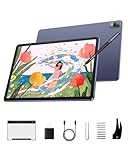
- Standalone & Fully Portable: No computer needed! The 12.2-inch Magic Drawing Pad is a lightweight, all-in-one digital drawing solution that lets you create anywhere, anytime
- 16K Pressure Sensitivity for Ultimate Precision: Experience next-level accuracy with industry-leading 16384 levels of pressure sensitivity, powered by the X3 Pro Slim Stylus for tilt function, ultra-smooth and precise strokes
- Vibrant, High-Resolution Display: Featuring a 2160×1440 resolution, 3:2 aspect ratio, and a 109% sRGB color gamut, enjoy a paper-like drawing experience with stunningly rich colors
- Long-Lasting Battery for Uninterrupted Creativity: The 8000mAh battery delivers up to 13 hours of continuous use, ensuring you can focus on creating without frequent recharges
- Seamless Multitasking & Entertainment: More than just a drawing tablet! Read e-books, watch videos, play games, and listen to music—all with dual-window support for effortless multitasking
HUION Kamvas Slate 11 Drawing Tablet

The HUION Kamvas Slate 11 Drawing Tablet caters perfectly to artists who crave a portable and self-contained sketching solution. Its 10.95-inch display boasts a 90Hz refresh rate, FHD+ resolution, and 99% sRGB color accuracy, ensuring a smooth and vibrant drawing experience. The nano-etched screen mimics the feel of paper, while the anti-fingerprint coating keeps your workspace clean. Powered by a MediaTek Helio G99 SoC and 8GB of RAM, the tablet delivers reliable performance, complemented by 128GB of built-in storage and the ability to expand via microSD. With Android 14 and pre-installed drawing apps, the Kamvas Slate 11 is an extensive, on-the-go creative companion.
Best For: Creative professionals, digital artists, and students seeking a portable and standalone drawing tablet for on-the-go use, note-taking, and idea recording.
Pros:
- Compact and lightweight design for easy portability
- High-quality display with 90Hz refresh rate, FHD+ resolution, and 99% sRGB color gamut
- Includes pre-installed drawing apps and supports microSD expansion for ample storage
Cons:
- Relatively expensive compared to some other drawing tablets on the market
- Limited software ecosystem compared to tablets running full-fledged operating systems
- Battery life may not be as long as some users would prefer for extended drawing sessions
- All-in-One Drawing Tablet: This standalone tablet requires no computer connection—start drawing right out of the box. Perfect for artists on the go, its sleek aluminum back provides a comfortable feel and makes the writing tablet an ideal choice for note-taking and capturing ideas.
- 10.95-inch Full HD Graphic Tablet: The combination of a 10.95-inch screen and FHD+ (1920*1200) resolution ensures a high pixel density of 207 PPI, delivering a sharp visual experience. With a 99% sRGB color gamut, every stroke of your artwork is precisely represented.
- Smooth 90Hz Refresh Rate: The digital drawing tablet features a 90Hz refresh rate, ensuring smooth visuals with no lag. This makes images more vivid, allowing you to immerse yourself in a seamless creation experience. The digital drawing pad also enhances your viewing experience, whether you're watching films or playing games.
- Full-Laminated Anti-Glare Screen: The digital art pad features a nano-etched, anti-fingerprint matte surface that significantly reduces glare and provides a natural paper-like texture for a comfortable drawing feel. The full-lamination technology minimizes parallax, enhancing stroke precision and clarity, while also helping to reduce eye strain during prolonged use.
- High-Precision H-Pencil: The drawing pen features Huion's years of experience in line-drawing algorithms, offering better accuracy and preventing line offset while drawing. With 4096 levels of pressure sensitivity and 60° tilt recognition, it brings you a writing experience that feels just like using a real pencil.
Factors to Consider When Choosing Drawing Tablets (Standalone)
When choosing a standalone drawing tablet, you’ll want to examine the display quality and resolution, stylus pressure sensitivity, the tablet’s operating system and performance, available storage and expandability, as well as its battery life and charging capabilities. These factors can drastically impact your creative workflow and the overall user experience. Take the time to research and compare options to find the drawing tablet that best suits your needs.
Display Quality and Resolution
If you’re in the market for a standalone drawing tablet, a high-resolution display is an essential consideration. 2K or 4K screens provide exceptional detail and clarity, making them ideal for digital art. Additionally, pay attention to the color gamut, as a wider range of reproducible colors (e.g., sRGB or Adobe RGB) can enhance your creative expression. A high refresh rate, like 90Hz or 120Hz, guarantees a smooth drawing experience with minimal lag. Look for full-laminated screens to minimize parallax, the visual gap between the pen tip and the drawn line. Finally, consider matte or anti-glare coatings to reduce reflections and eye strain during extended drawing sessions.
Stylus Pressure Sensitivity
Although the higher the pressure sensitivity levels of a stylus, the more precise and natural the drawing experience, pressure sensitivity is not the only element to ponder. Tilt recognition, which allows the stylus to detect the angle at which it’s held, is another essential feature for achieving natural-looking strokes. Look for tablets offering styluses with both high pressure sensitivity and tilt functionality to elevate your drawing experience. While pressure sensitivity typically ranges from 1024 to 16,384 levels, with higher levels providing enhanced control and nuance, the perfect level depends on your artistic preferences and workflow. Consider testing various options to find the best fit for your needs.
Operating System and Performance
Standalone drawing tablets typically run on either Android or Windows operating systems, each offering distinct advantages for your creative workflow. Android-based tablets often boast better portability, longer battery life, and access to a wide range of drawing apps. In contrast, Windows-based tablets may provide more robust performance for professional-grade software. The tablet’s processor, RAM, and storage specifications vastly impact its ability to handle complex projects, multitask, and maintain smooth performance during extended drawing sessions. Look for standalone drawing tablets with higher-end processors, ample RAM, and generous storage to guarantee a seamless, uninterrupted creative experience.
Storage and Expandability
One important factor to ponder when selecting a standalone drawing tablet is its storage and expandability capabilities. Standalone drawing tablets often come with built-in storage ranging from 64GB to 256GB, which you can expand through microSD cards up to 1TB. Sufficient internal storage is indispensable for seamless multi-layered digital art creation and installing numerous drawing and productivity apps. The ability to expand storage through microSD cards allows you to grow your creative portfolio and access a wider range of resources without being limited by the tablet’s native storage. Consider the available built-in storage and maximum supported microSD capacity to guarantee ample space for your digital art projects and workflow.
Battery Life and Charging
How important is battery life and charging when selecting a standalone drawing tablet? It’s paramount. Untethered creative sessions are a must, and standalone tablets deliver. With up to 13 hours of continuous use, you can work uninterrupted. And when it’s time to recharge, fast charging has you back in action in just 60 minutes. The ample 4,000mAh+ batteries guarantee ample power, eliminating the need for frequent recharging. Standalone tablets prioritize power efficiency, expertly balancing performance and battery life. Whether you’re sketching for hours or tackling a complex digital painting, the standout battery life and swift charging capabilities of these tablets will keep your creative flow uninterrupted.
Portability and Design
When selecting a standalone drawing tablet, portability and design are critical factors to ponder. You’ll want a device that’s lightweight and easy to carry, whether you’re sketching on-the-go or working from home. Look for tablets with slim, ergonomic profiles that won’t strain your hands or back during extended use. Consider the tablet’s dimensions and weight, ensuring it fits comfortably in your workspace or bag. The design should also prioritize functionality, with intuitive controls and a responsive, pressure-sensitive surface for natural, expressive drawing. Evaluate the tablet’s overall aesthetic too, as the right blend of form and function can inspire your creativity.
Connectivity and Compatibility
When selecting a drawing tablet, it’s essential to contemplate its connectivity and compatibility. Consider the tablet’s ability to connect to your preferred drawing software, external devices, and support for wireless connectivity and Bluetooth. Guarantee the tablet is compatible with Android or iOS, and can connect to your computer, smartphone, or other devices via USB, HDMI, or wireless technologies. Look for tablets offering multi-device connectivity to easily share your work across platforms and collaborate. Verify the tablet’s compatibility with popular digital art programs to assure a smooth integration with your creative tools. Assess the tablet’s Bluetooth and Wi-Fi capabilities for wireless file transfers, remote control, and the use of compatible accessories.
Included Accessories and Software
Many standalone drawing tablets come bundled with a variety of accessories and software to enhance your creative experience. These often include stylus pens, protective cases, gloves, and adapters, providing you with everything you need to get started. Some tablets also include pre-installed drawing and note-taking apps, as well as free trials of professional creative software. This allows you to begin creating immediately without additional purchases. The included software usually provides tutorials and resources to help you learn digital art techniques. Consider which pre-installed apps and subscription offers best fit your needs, as tablet manufacturers may offer different software packages. These accessories and software can substantially, considerably, or greatly impact the overall value and convenience of a standalone drawing tablet.
Frequently Asked Questions
What Is the Maximum Screen Resolution of These Drawing Tablets?
The maximum screen resolution of the best drawing tablets for artists in 2025 can reach up to 4K, or 3840 x 2160 pixels. This high-resolution display provides you with exceptional clarity and detail, allowing you to work on your digital artwork with incredible precision. The level of detail and sharpness these tablets offer will make your creative process more immersive and satisfying than ever before.
Do Any of These Tablets Support Wireless Connectivity?
Yes, some of the latest drawing tablets do support wireless connectivity. You’ll find that many models now offer the convenience of Bluetooth or WiFi connectivity, allowing you to work untethered from your computer. This wireless capability gives you greater freedom of movement and flexibility in your creative workflow. Be sure to check the specific connectivity features when selecting the best drawing tablet for your needs.
Can These Tablets Be Used for Professional-Level Digital Art?
You bet these tablets can be used for pro-level digital art! With their cutting-edge tech, you’ll be able to create stunning masterpieces that would’ve made the old masters green with envy. The wireless connectivity means you can ditch the clunky cables and work seamlessly, whether you’re sketching on-the-go or laying down intricate details in your studio. These tablets are the future, so get ready to take your artistry to new heights.
How Do the Pressure Sensitivity Levels Differ Between Models?
Pressure sensitivity levels can vary considerably between drawing tablet models. Some offer 4,096 levels of pressure sensitivity, allowing for incredibly precise control and fluid brushstrokes. Others may have 2,048 or even 1,024 levels, which still provide a responsive drawing experience but with slightly less nuance. When choosing a tablet, consider the level of pressure sensitivity that best suits your artistic style and needs.
What Are the Battery Life Capabilities of These Standalone Tablets?
The battery life of standalone drawing tablets can vary dramatically, ranging from 4 to 12 hours of continuous use. Higher-end models typically offer longer battery runtimes, with some boasting up to 12 hours of uninterrupted drawing sessions. However, the actual battery life you’ll experience can depend on various factors, such as the tablet’s brightness settings, pen pressure sensitivity, and the complexity of your artwork. It’s always a good idea to keep your tablet charged when working on the go.
Conclusion
When choosing a standalone drawing tablet, you’ll want to examine factors like pressure sensitivity, display size, and battery life. The best tablets will feel as natural as pen and paper, allowing you to bring your creative visions to life with ease. Don’t settle for anything less than a sleek, high-performing device that’ll have you drawing up a storm in no time.
artist tools, digital art, drawing tablets